
Licensing & activation
License tiers, first-activation timing, Demo limits, 30-day offline leases, seat transfers, and license states.
LaneCue uses simple, all-inclusive licensing with no per-feature add-ons. Every core broadcast feature—including 3D lane overlays, OBS automation, CTS timing, diving, and LAN live results—works in every tier, including the free Demo.
Tiers and pricing #
| Tier | Price | Term | Seats | BYOK AI | Watermark-Free | Support |
|---|---|---|---|---|---|---|
| Demo | $0 | Unlimited | 1 seat | Locked | No (LANECUE DEMO) |
Docs / Community |
| Single Meet | $149 | 7 days from first activation | 1 seat | Included (BYOK) | Yes | Standard Email |
| High School | $499 | 120 days from first activation | 2 seats (Primary + Backup) | Included (BYOK) | Yes | Standard Email |
| Annual | $1,199 | 365 days from first activation | 3 seats (Primary + Backup + Prep) | Included (BYOK) | Yes | Priority Support + 30-Min Onboarding |
- Terms start on first activation: Your 7-, 120-, or 365-day term begins the moment you activate your
LC-…license key on a laptop, not on the purchase date. - 180-day activation window: Unused keys must be activated within 180 days of purchase.
- Seats: A seat is an active laptop installation. Single Meet includes 1 seat; High School includes 2 seats (Primary + Backup); Annual includes 3 seats (Primary + Backup + Prep).
Demo tier limits #
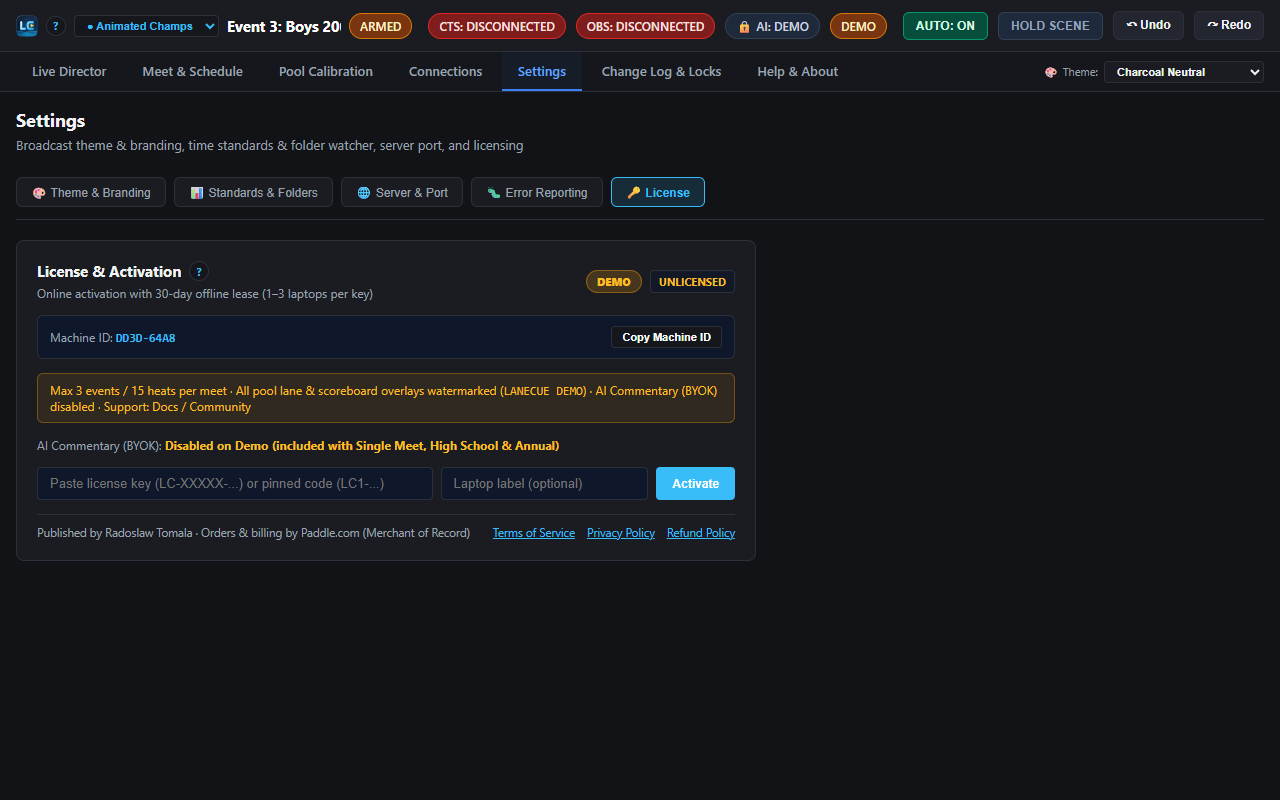
When no paid license is active, LaneCue runs in the free Demo tier (no time limit):
- Meet cap: Maximum 3 events and 15 heats per meet. Heats beyond the cap are marked locked (
🔒). - Watermark: Every pool lane card displays a diagonal
LANECUE DEMOwatermark. - AI Commentary: Bring-your-own-key (BYOK) Gemini AI features (Live AI Commentary, Gemini PDF fallback, and diving paper-sheet OCR) are locked in Demo (
🔒 AI: DEMO).
Activating a license #
- Connect the laptop to the internet.
- Open Settings → 🔑 License.
- Paste your
LC-…license key and click Activate.
Offline operation and 30-day leases #
Once activated, LaneCue stores a signed 30-day offline lease on your laptop so you can run meets in concrete natatoriums with zero internet access.
- Check-in advisory: When 14 days or fewer remain on your 30-day lease (about 16 days after your last online check-in), the top bar license pill turns amber (
TIER · Check in by <date>) as a reminder to connect briefly to renew the lease automatically. - 03:00 local cut-off & in-heat extension: License expiry or lease lapse takes effect at 03:00 local time—never mid-session—and if a heat is in progress at 03:00, LaneCue grants a 60-minute extension so the heat finishes cleanly.
- Clock-skew warning: If the laptop clock differs from the license server by more than 15 minutes, LaneCue displays a clock-skew warning.
Moving a license to another laptop (release seat) #
To free up a seat for a different laptop:
- On the old laptop (while online), open Settings → 🔑 License and click Release Seat.
- Activate the same
LC-…key on the new laptop.
If the old laptop died or is unavailable, contact support through Help & About or the Support form.
Refunds and re-activation #
Purchases are processed by Paddle.com (Merchant of Record) with a 14-day refund policy (see Refund Policy). Refunded keys are revoked, and refunded Single Meet buyers cannot self-activate another Single Meet key without support review.
License states and top-bar badges #
| State | Meaning |
|---|---|
ACTIVE |
Valid paid license (or Demo tier) within its active window and lease. |
NOT_YET_VALID |
System clock or license start date is earlier than the activation window. |
EXPIRED |
Paid term has ended or the license was revoked (transitions at 03:00 local, with 60-minute in-heat extension). |
LEASE_LAPSED |
Offline 30-day lease expired without an online check-in. Connect to the internet to renew. |
UNLICENSED |
No paid license activated; running in free Demo tier (3 events / 15 heats cap). |
INVALID |
Stored license data failed verification or is malformed. |
MACHINE_MISMATCH |
License lease belongs to a different Windows machine ID. |
Top-bar status pills show DEMO, SINGLE MEET, HIGH SCHOOL, ANNUAL, TIER · Check in by …, LEASE LAPSED, or EXPIRED.